ForEach Pilates › Features
Online Class Booking
Straight from Members' Phones
Members pick a session, enter their name and phone number, confirm — done. No WhatsApp back-and-forth, no admin standing by.
Ask via WhatsAppWhat Members See
The studio shares a single booking link with members — pinned in the WhatsApp group, added to the Instagram bio, or printed as a QR code at the studio. Members open the link, pick an available session, enter their name and registered phone number, and confirm. No app to download, and an account isn't required to book.
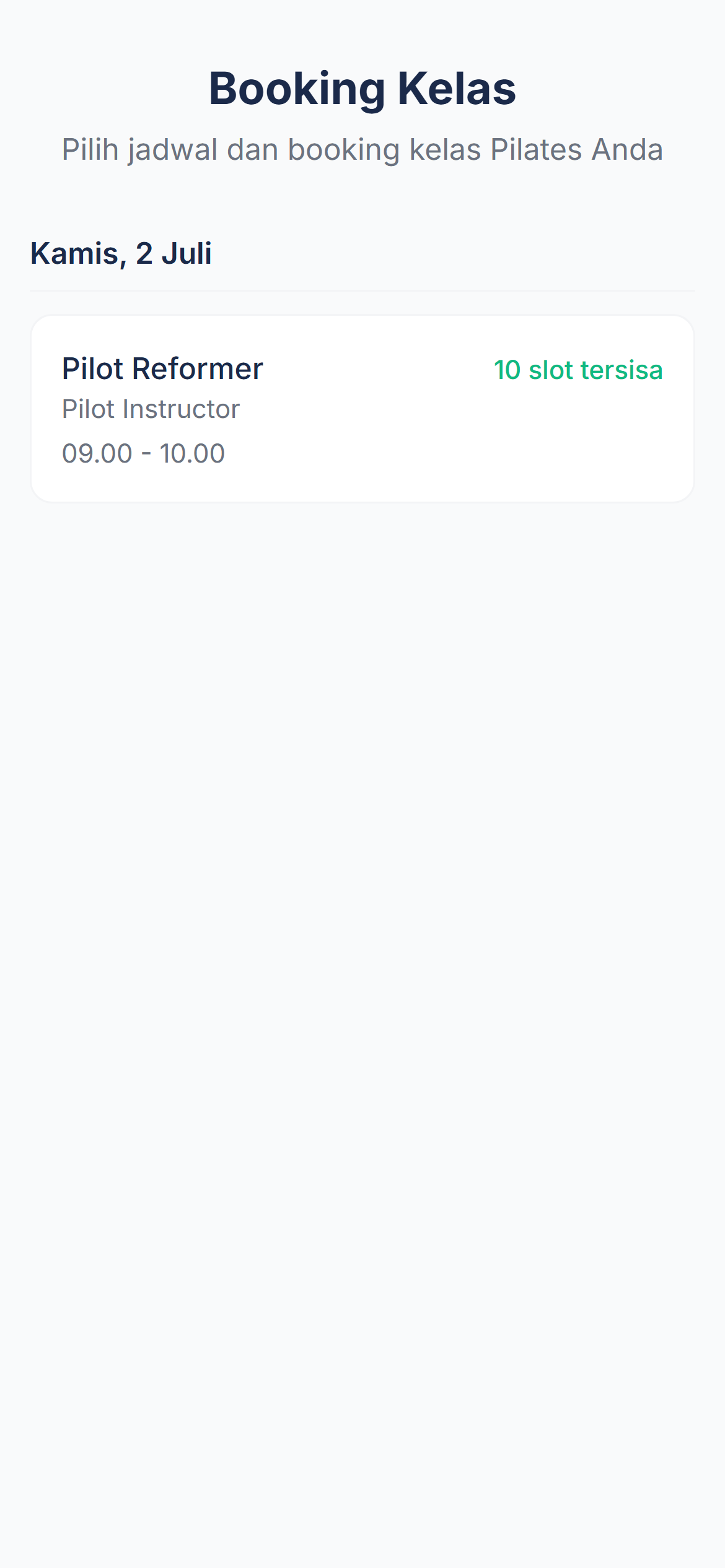
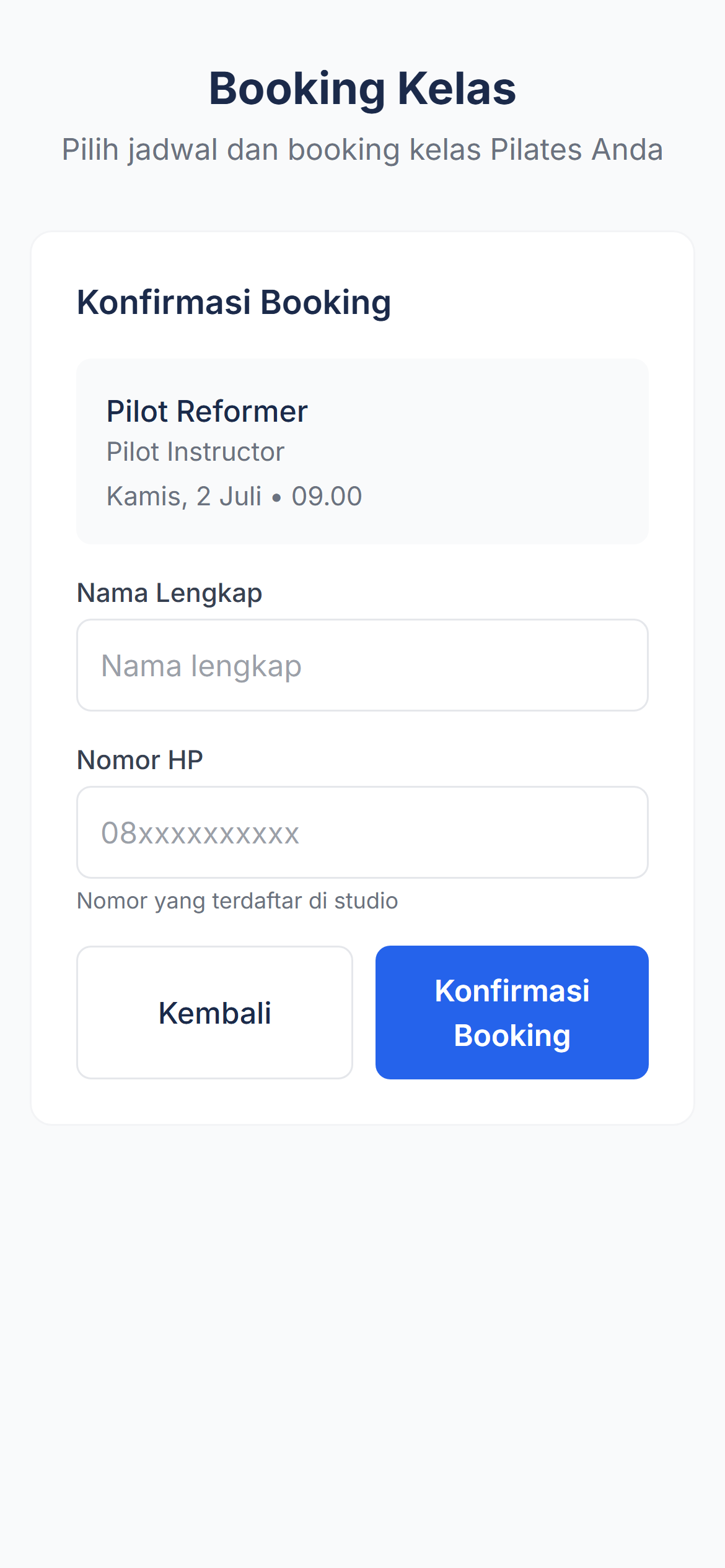
Honest note: by default, new members need to be registered by an admin first — this booking page verifies using the phone number already in the studio's customer records. Studios that turn on the optional public self-registration feature can let prospective members apply via a public link; admin still reviews and approves before they can book.
What Admin Sees
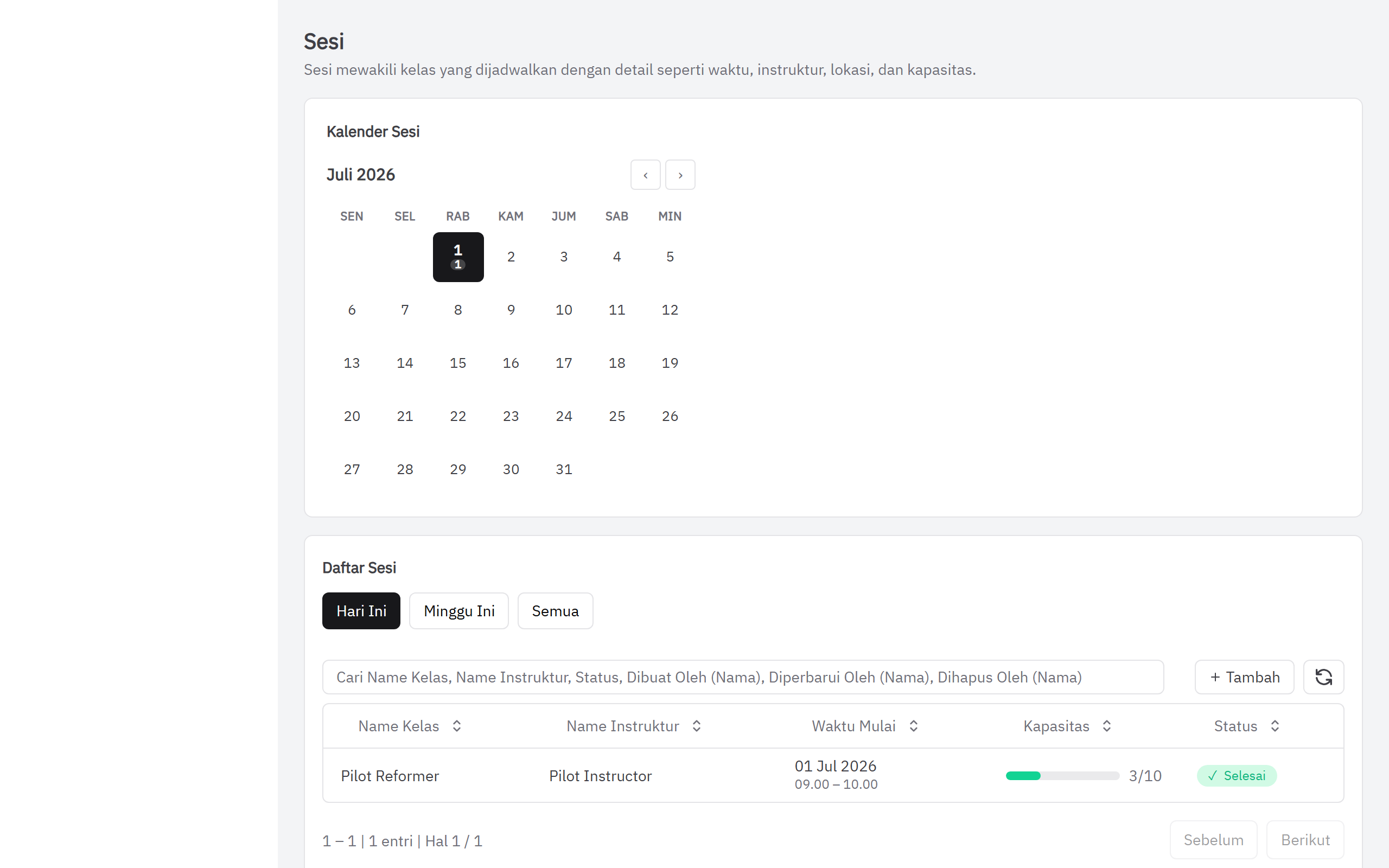
Every session appears in the admin calendar with booking count, capacity, and status. Admins can add new sessions, see who is registered, and track attendance — all from one page.
How It Works
- Admin creates sessions — add a class session in the dashboard: choose class type, instructor, time, and capacity.
- Share the booking link — each studio has one booking page URL to share with members.
- Members book themselves — pick a session, enter name + phone, confirm. Remaining slots update automatically.
- Admin monitors the dashboard — see the booking list per session, mark attendance, record package usage.
A clear booking system is one of the most effective ways to reduce no-shows. Read the full guide: How to Reduce No-Shows at Your Pilates Studio →
Common Questions
Do members need to download an app?
No. The booking page opens directly in the mobile browser — nothing to install.
How do members access the booking page?
The studio shares a single booking link with members — via WhatsApp group, Instagram bio, or a QR code at the studio. Members tap the link, pick a session, confirm.
Do members need an account or password?
Not required. Booking still works with just a name and the phone number already registered at the studio — no account needed. Members who want to can also create a free account to see their remaining sessions, booking history, and cancel their own bookings.
How do I see who has booked?
The admin dashboard's Sessions page shows the full booking list per class: member names, status, and remaining capacity.
Does booking automatically deduct sessions from a member's package?
By default, yes — every confirmed booking deducts one session from the member's package immediately, in real time. Studios that want more flexibility (for example, a clearer no-show policy) can turn on an optional mode: the session is only deducted once attendance is actually recorded, not at booking. Either mode is a studio's own choice.
See It at Your Studio
Online booking is part of ForEach Pilates — starting at Rp 200,000/month for the first 5 studios. All core features included, no limits on members or classes.
Contact via WhatsApp for a Demo