ForEach Pilates › Features
Members Stop Asking
"How Many Sessions Do I Have Left?" on WhatsApp
Members can create a free account, log in, and see their own package balance, booking history, and cancel their own bookings — subject to your studio's own policy.
Ask via WhatsAppWhat Members See
Members log in once with their own email and password, then see a dashboard with their active package, remaining sessions, and expiry date. From there they can open their schedule & booking history, and cancel an upcoming booking themselves — no need to message the admin first.
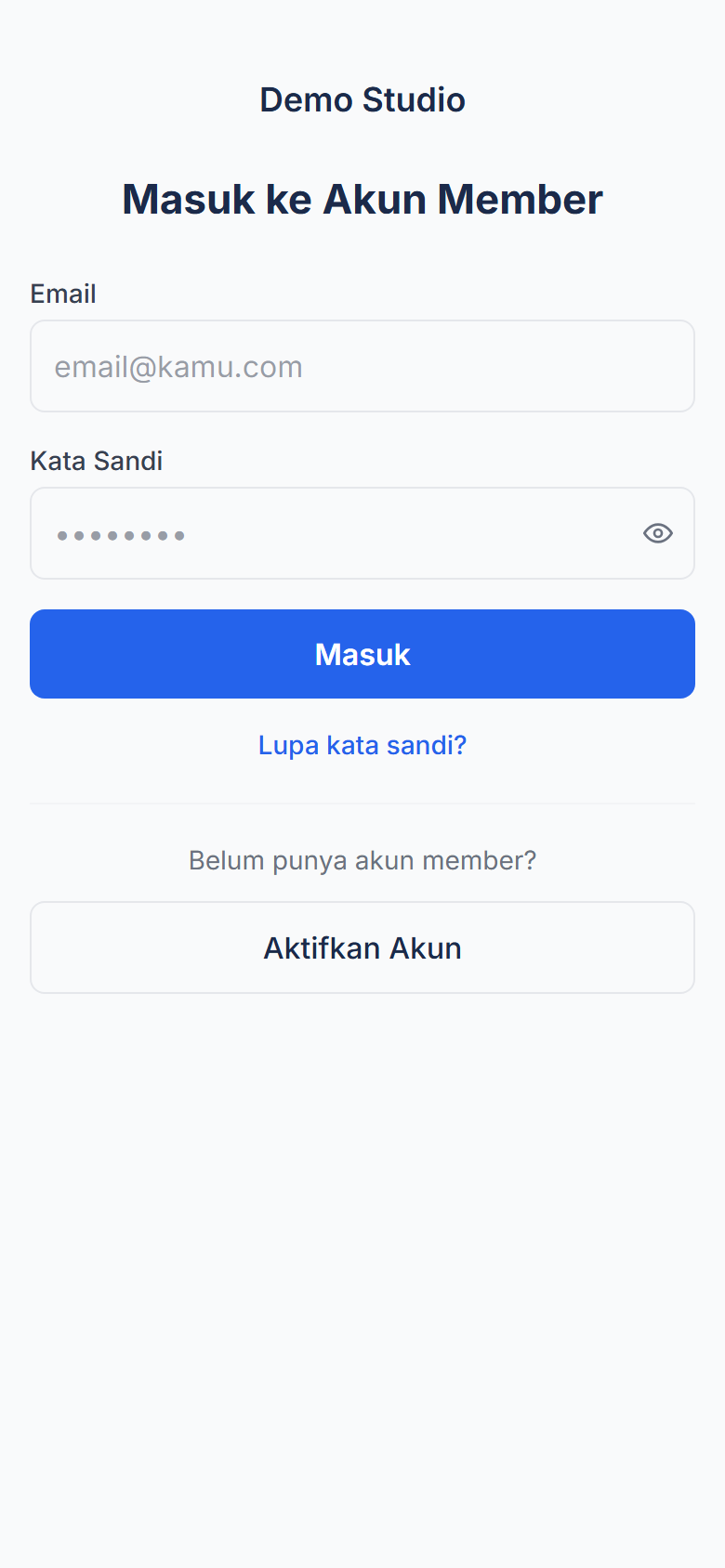
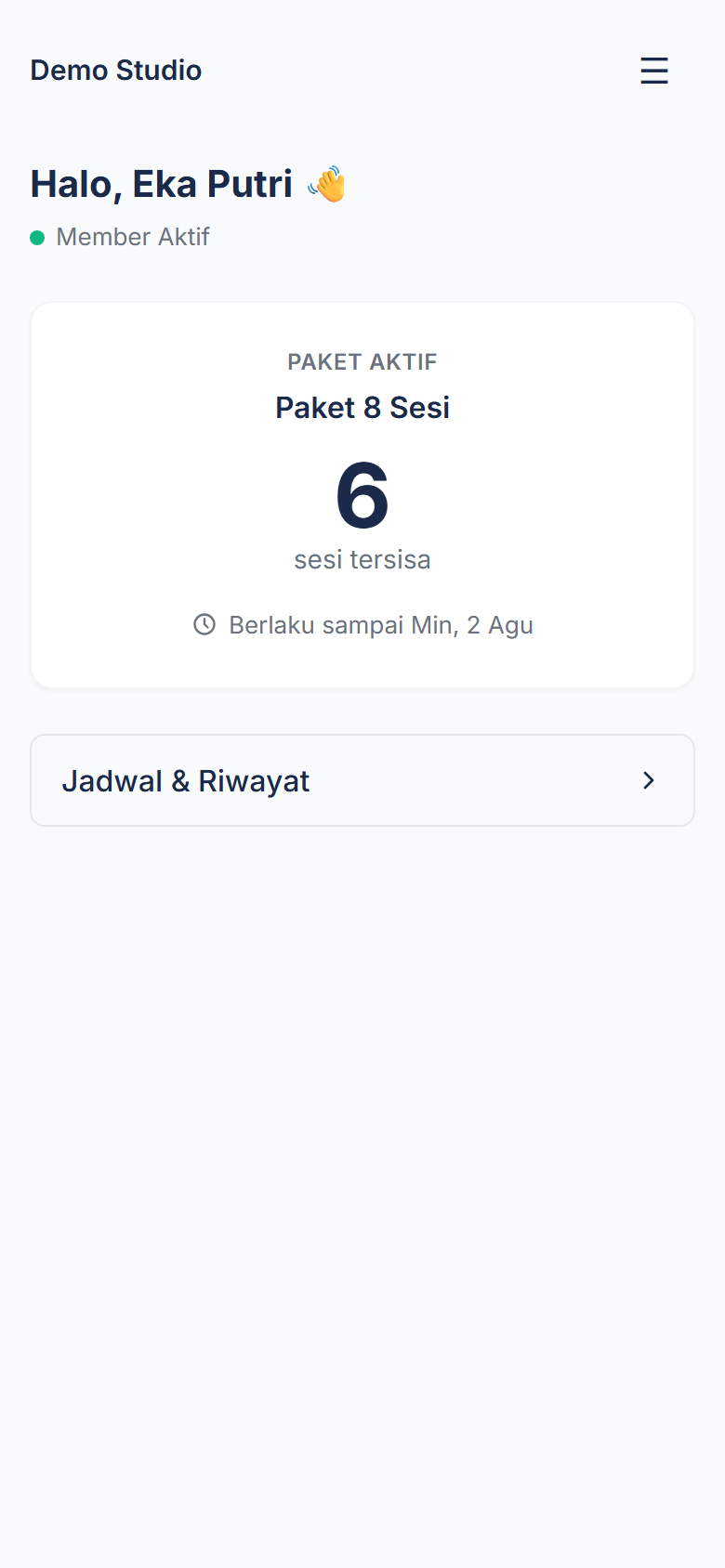
Honest note: this member account is purely optional, an addition. The public booking page without an account (name + phone number) keeps working exactly as before — members who skip creating an account lose nothing. Self-serve cancellation is subject to whatever policy your studio configures — some studios allow cancelling anytime, others set a minimum notice window before class starts.
How It Works
- Available automatically — the member portal is active for every ForEach Pilates studio, no extra setup needed from admin.
- Member activates their account — tap "Activate Account" on the member login page, enter the email already on file with the studio, verify it via the emailed link, then set their own password.
- Log in and see the dashboard — remaining package sessions, expiry date, and booking history show up immediately.
- Cancel their own booking — from the schedule page, subject to the cancellation window and policy your studio configures.
Common Questions
Do members need an account to book a class?
Not required. Booking with a name and phone number still works exactly as before, no account needed. Members who want to can create a free account (email + email verification) to see their own remaining sessions and booking history.
How do members see their remaining package sessions?
After logging in, members see a dashboard with their active package name, remaining session count, and expiry date — no more asking the admin over WhatsApp.
Can members cancel their own bookings?
Yes, from the member schedule page. Each studio sets its own cancellation policy — for example allowing cancellation anytime, or requiring a minimum notice window before class starts. Cancelling outside that window can be configured to either block the cancellation or still cancel it without returning the session to the package.
How does a member create an account?
Members tap "Activate Account" on the member login page, enter the email already on file with the studio, verify it via the link sent to that email, then set their own password. Admin doesn't need to create it for them.
Does this replace the existing booking page?
No. The public booking page without an account still works exactly as before. This member account is purely an optional addition for members who want to see their own remaining sessions and history.
Related Features
Fewer "How Many Sessions Left" Chats at Your Studio
Member management is part of ForEach Pilates — starting at Rp 200,000/month for the first 5 studios. All core features included, no limits on members or classes.
Contact via WhatsApp for a Demo← See ForEach's pilates studio member management and other features