ForEach Pilates › Features
Remaining Package Sessions
Tracked Automatically — No Manual Counting
Create 8-session packs, 12-session packs, or monthly subscriptions. By default, every confirmed booking deducts one session immediately — admin doesn't need to open a spreadsheet to keep track. Studios can also choose to deduct sessions on attendance instead of at booking.
Ask via WhatsAppWhat Admin Sets Up
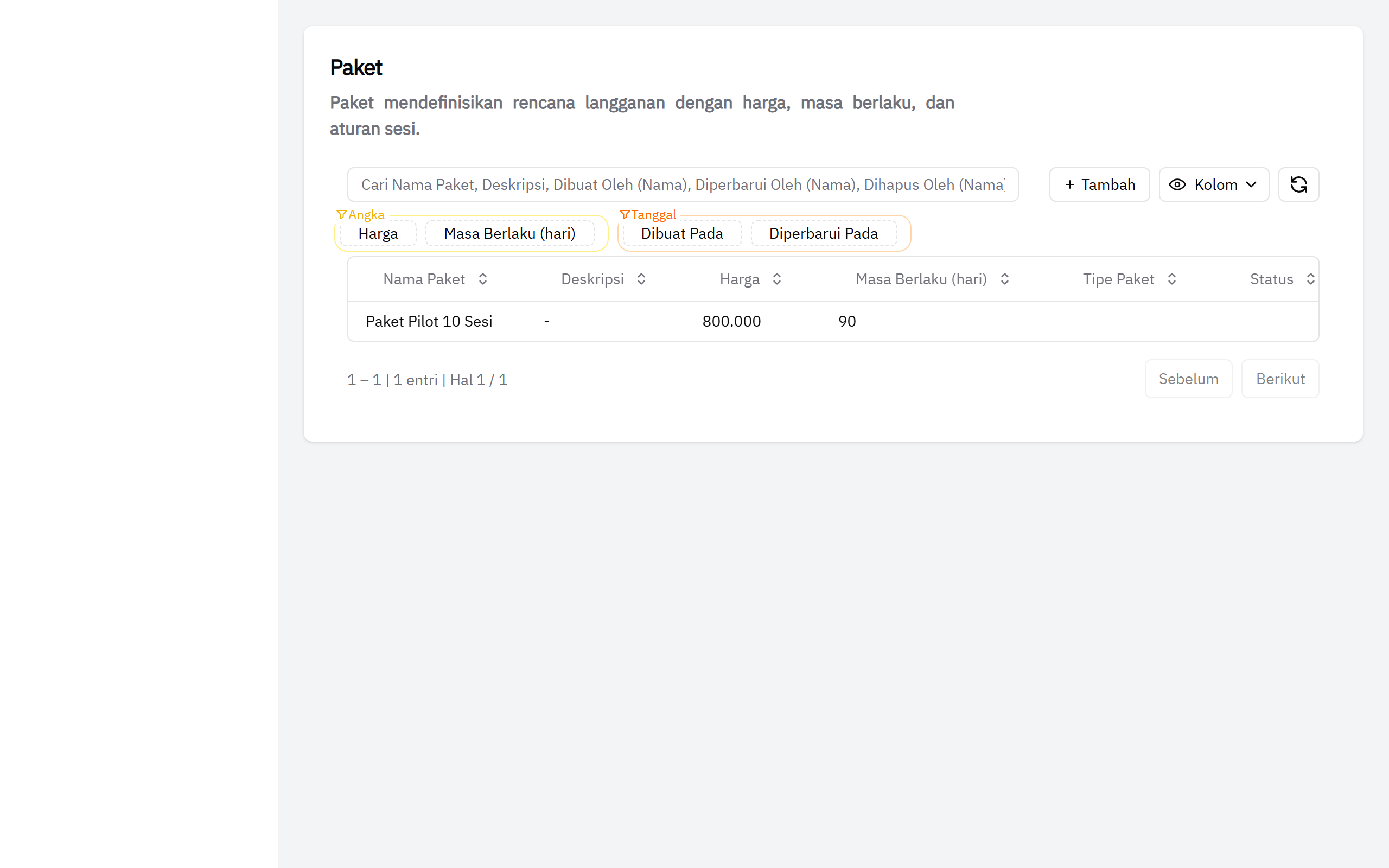
Admin creates package types once — name, price, session count, and validity period — then assigns them to members when they purchase. After that, the system handles tracking: by default, every confirmed booking deducts one session immediately; studios that want to can switch to deducting a session only once the member actually attends. Admin can see remaining sessions for all members from a single view, in either mode.
📸 Screenshot: admin package list view
Honest note: ForEach does not process payments automatically (no automatic card charging or auto-debit). Admin records payments manually after receiving a bank transfer, QRIS, cash, or card (recorded manually, not through a gateway) from the member, then activates the new package on their profile. This matches the payment flow most Indonesian pilates studios already use.
Two session-deduction modes: by default, a session is deducted when the booking is confirmed (real time). Studios can switch to attendance-based mode instead — a session is only deducted once the member actually attends. In that mode, cancelling before the class starts means the session is "released, not refunded" (since it was never deducted in the first place), while a no-show forfeits the session per the studio's policy. Studios pick whichever mode fits — switchable anytime from Studio Settings.
Packages in the Admin Dashboard
Inside the admin dashboard, every member record shows their active package — name, remaining sessions, and expiry date. No separate spreadsheet needed to check who still has sessions left.
📸 Screenshot: member profile showing active package remaining sessions (admin view)
How It Works
- Admin creates package types — set the package name, price, session count, and validity period (e.g. 8 sessions valid for 60 days).
- Member purchases a package — admin records the payment received (bank transfer, QRIS, cash, or card), then activates the package on the member's profile.
- Sessions deduct according to the studio's mode — by default at booking, or (if enabled) once the member actually attends. No manual entry needed in either mode.
- Members can check for themselves — members with a free account can log in and see their remaining sessions, history, and expiry date from their own member dashboard.
- Renew when it runs out — when a package is used up or expires, the member can't book until admin activates a new package. The admin view shows who needs renewal.
Common Questions
Does the session count go down automatically every time a member books?
By default, yes — every confirmed booking deducts one session from the member's active package, in real time. Studios can also turn on an optional mode where the session is only deducted once the member actually attends the class, not at booking — useful for studios that want a clearer no-show policy. Admin doesn't need to record anything manually in either mode; the system tracks it.
Can a studio offer multiple different package types?
Yes. Admin can create as many package types as needed — for example an 8-session pack, a 12-session pack, or a monthly subscription. Each package has its own name, price, session count, and validity period.
What happens if a member runs out of sessions before the package expires?
The member can't book new classes until admin activates a new package for them. The system displays package status clearly, so admin knows who needs a renewal.
Can members see their own remaining sessions?
Yes. Members who create a free account can log in and immediately see their active package name, remaining session count, and expiry date on their own dashboard — no need to ask admin via WhatsApp.
Can admin manually adjust session counts?
Yes. Admin can adjust a member's session balance if there's an exempted cancellation, a bonus session, or a correction from a previous recording error.
Track Package Sessions Without a Spreadsheet
Package management is part of ForEach Pilates — starting at Rp 200,000/month for the first 5 studios. All core features included, no limits on members or classes.
Contact via WhatsApp for a Demo← See all ForEach pilates studio package and subscription management features