Member Login and Staff Access: Two New Features in ForEach Pilates
During a pilot demo with a prospective studio last week, two small moments stuck with us.
The first: mid-class, the studio’s admin checked her phone because a member had messaged on WhatsApp — the same question that comes up in every studio, multiple times a day: “how many sessions do I have left on my package?” Every time, someone has to stop what they’re doing, pull up the records, and answer one message at a time.
The second: while talking through a plan to add a new receptionist, an oddly awkward question came up — “so what account will she log in with?” Until now, adding a new staff member meant the admin creating an account and typing a password for them, then relaying it over chat.
Both moments pointed at gaps that had been on our list for a while. This week, both are live in ForEach Pilates.
Members Can Now Log In for Themselves
Members who want to can create a free account — email, password, email verification — then log in any time to see their own active package, remaining session count, and booking history. No more waiting on a WhatsApp reply.
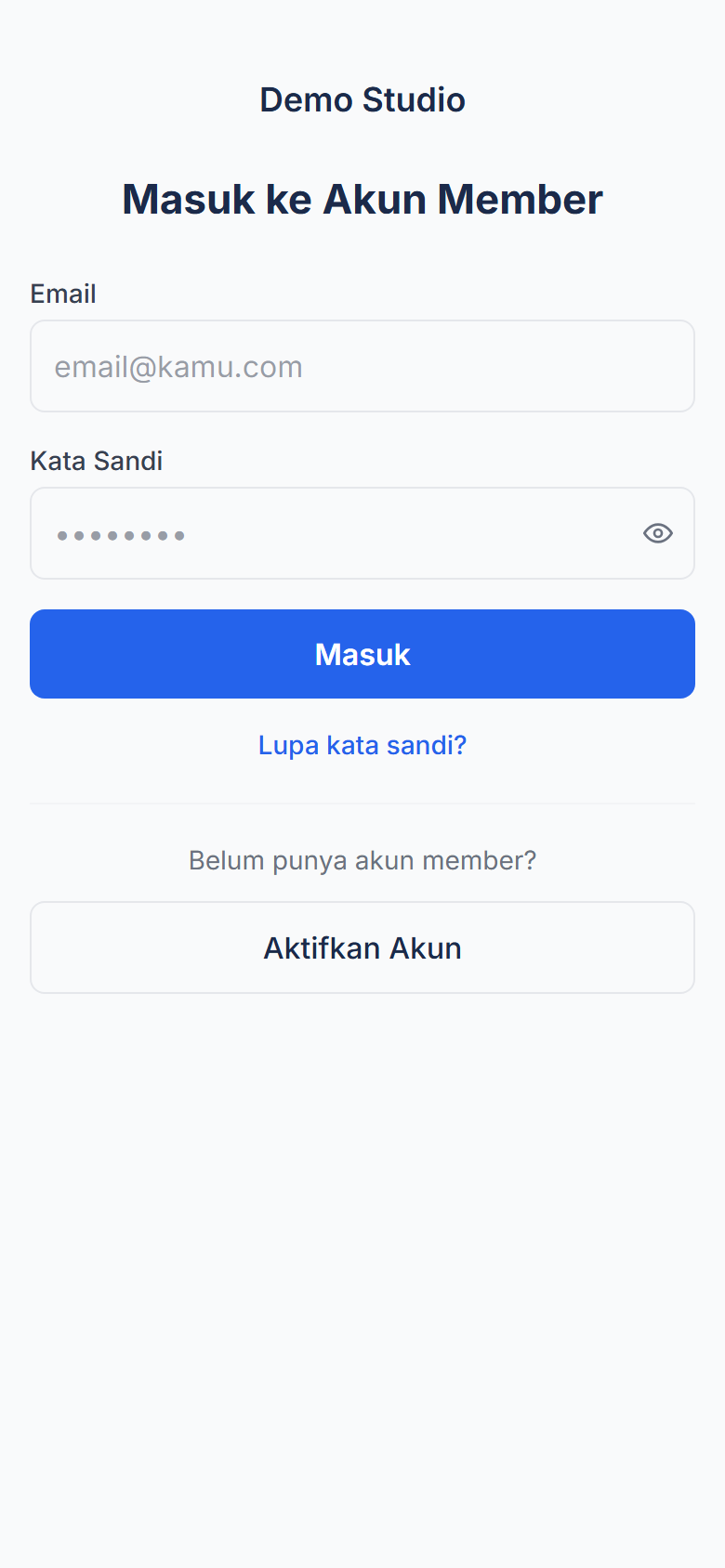
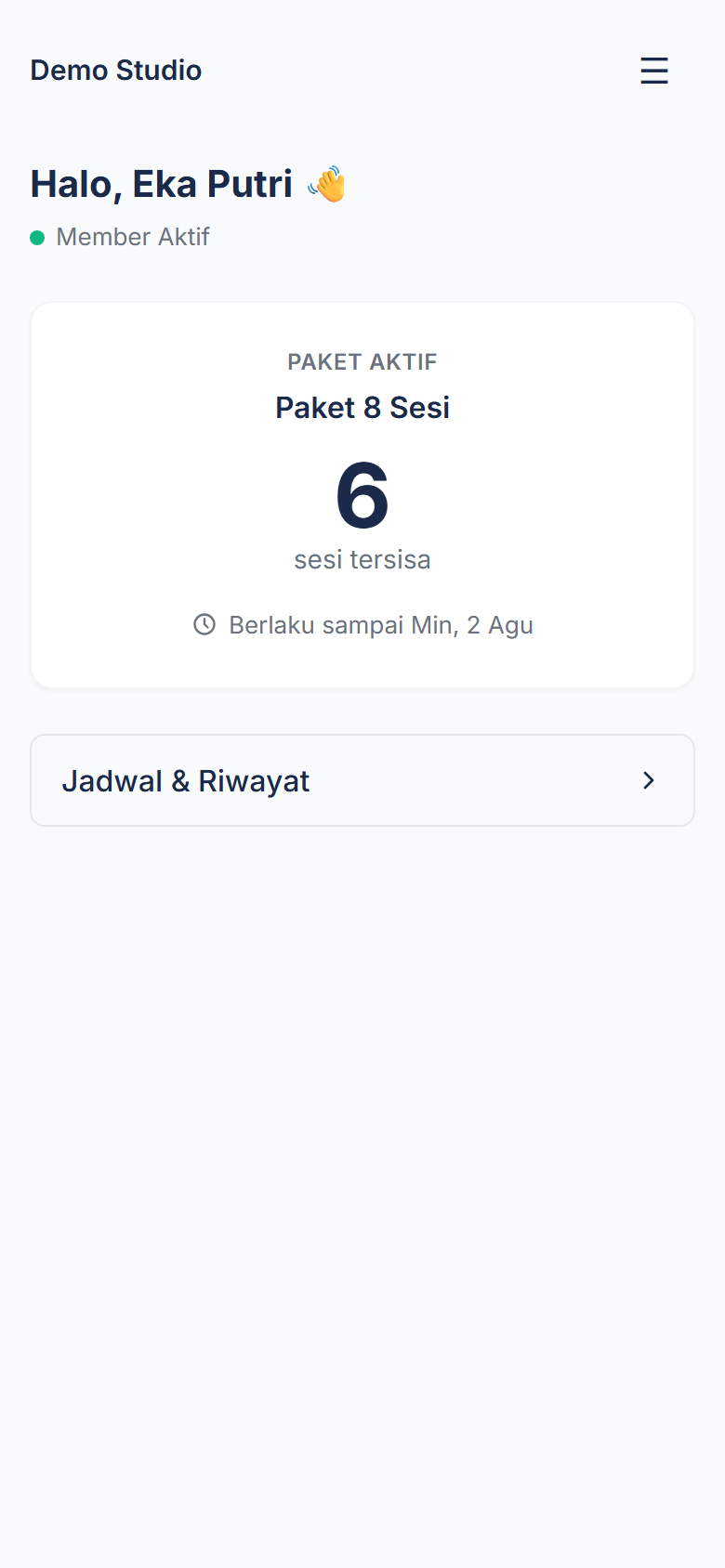
From the same dashboard, members can also cancel their own upcoming bookings, subject to whatever cancellation policy your studio has configured — anytime, or with a minimum notice window before class starts.
The important part: this is purely additive. The public booking page without an account (name + phone number) still works exactly as it did before. Members who’d rather not bother with an account don’t lose anything — they can keep booking the same way.
For the full detail, including how cancellation works and answers to common questions, see Pilates Studio Member Management.
Admins Can Invite Staff by Email — No More Shared Passwords
Adding a team member now works differently. From the Team & Access page, an admin just fills in a name, email, and permission group (Admin, Front Desk, or Instructor) — the system sends the invite link, not the admin typing a password.
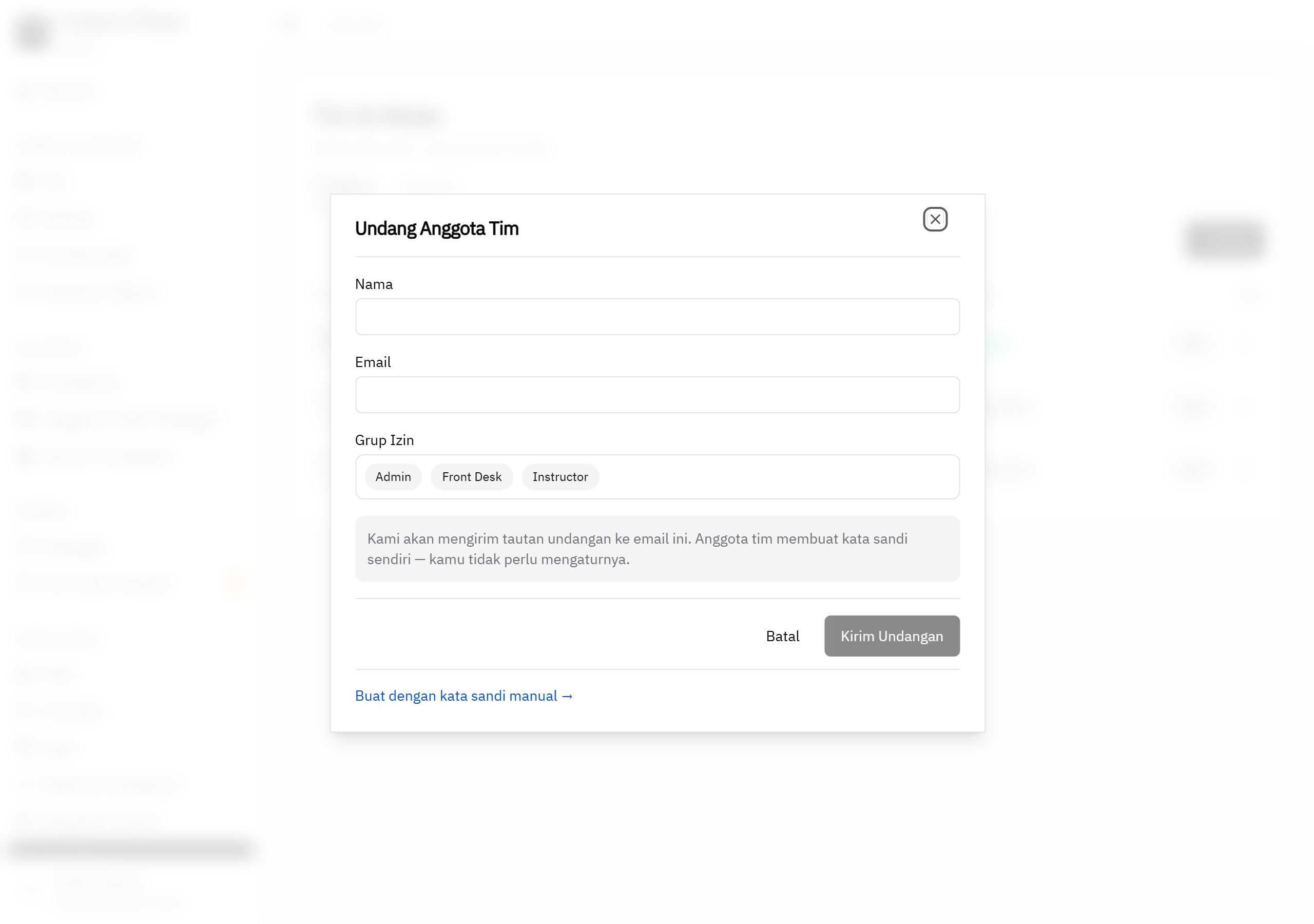
The invited teammate clicks the link in their email, sets their own password, and logs in right away. If they forget it later, they can reset it themselves via “Forgot password?” without looping the admin back in.
The permission groups themselves (Admin, Front Desk, Instructor) aren’t new — what’s new is that turning on a staff account is now safer and no longer depends on the admin knowing or generating someone else’s password. Full detail on the three permission groups and how it works is on the Staff Access & Multi-Admin page.
What’s Not Here Yet (To Be Clear)
Studios can install ForEach Pilates to a phone’s home screen like an app (PWA) — we’ve tested this on Android. On iOS, installation isn’t fully verified yet, so we’re not claiming it works smoothly on every Apple device. If you try it on an iPhone and hit a snag, let us know on WhatsApp.
Try It Today
Both features are already live for every ForEach Pilates studio — no setup required. If your studio already uses ForEach Pilates, your members and staff can try them today.
Not using ForEach Pilates yet? Contact us on WhatsApp for a free demo, or learn more about ForEach Pilates.